Introduction
The JOC Cockpit offers options for display of orders with large workflows that include hundreds of jobs:
- Displaying a workflow with 1000 jobs requires substantial resources in terms of CPU and memory. This can eat up the user machine's memory and can slow down rendering on the screen.
- Use of Magnets limits the number of concurrently displayed jobs and other instructions and will keep resource consumption in limits.
Magnets
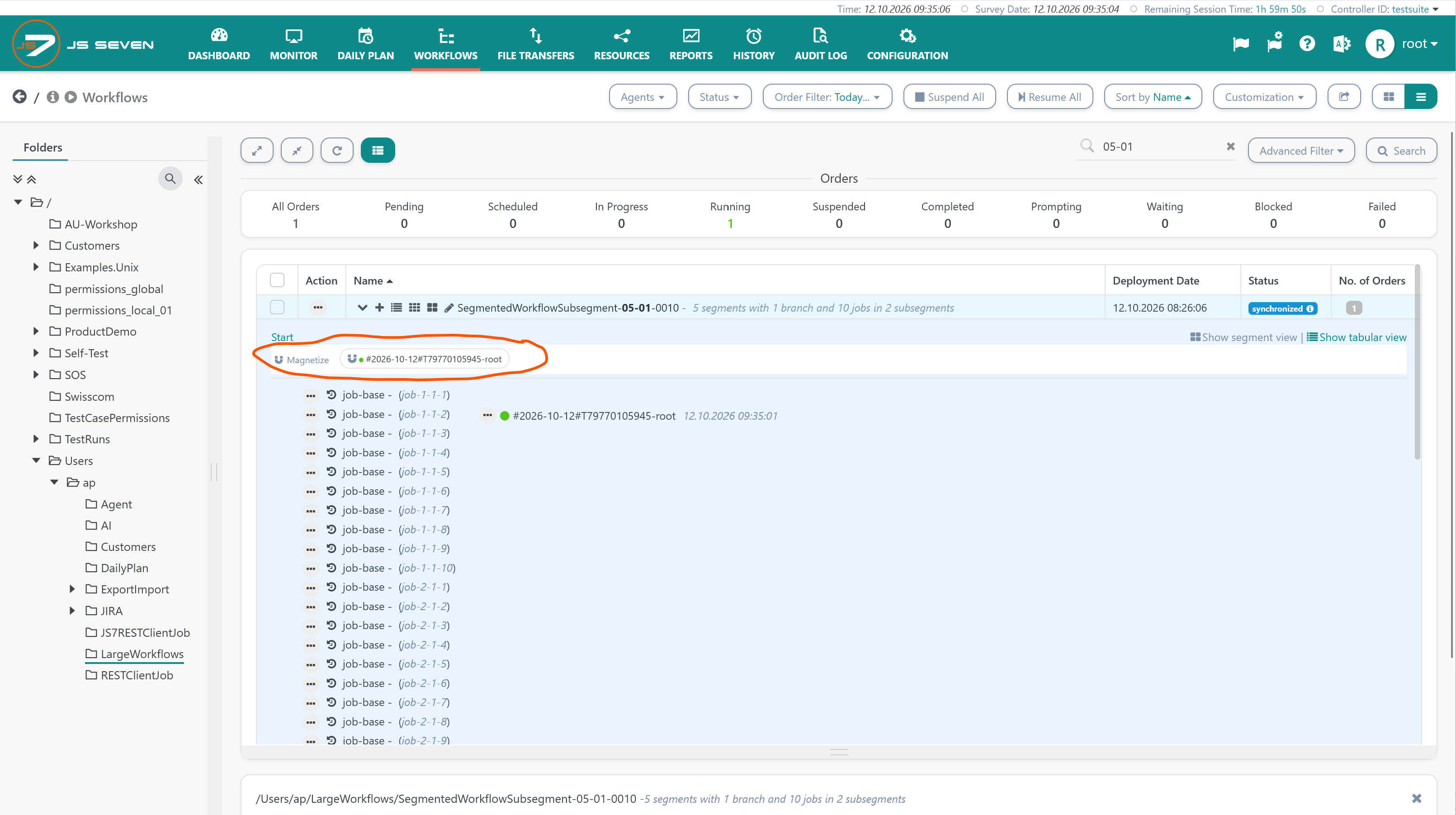
In the Workflows view, when an order is passing the workflow, then users are offered to magnetize the order:
- The operation is offered per order.
- The operation optionally can include child orders.
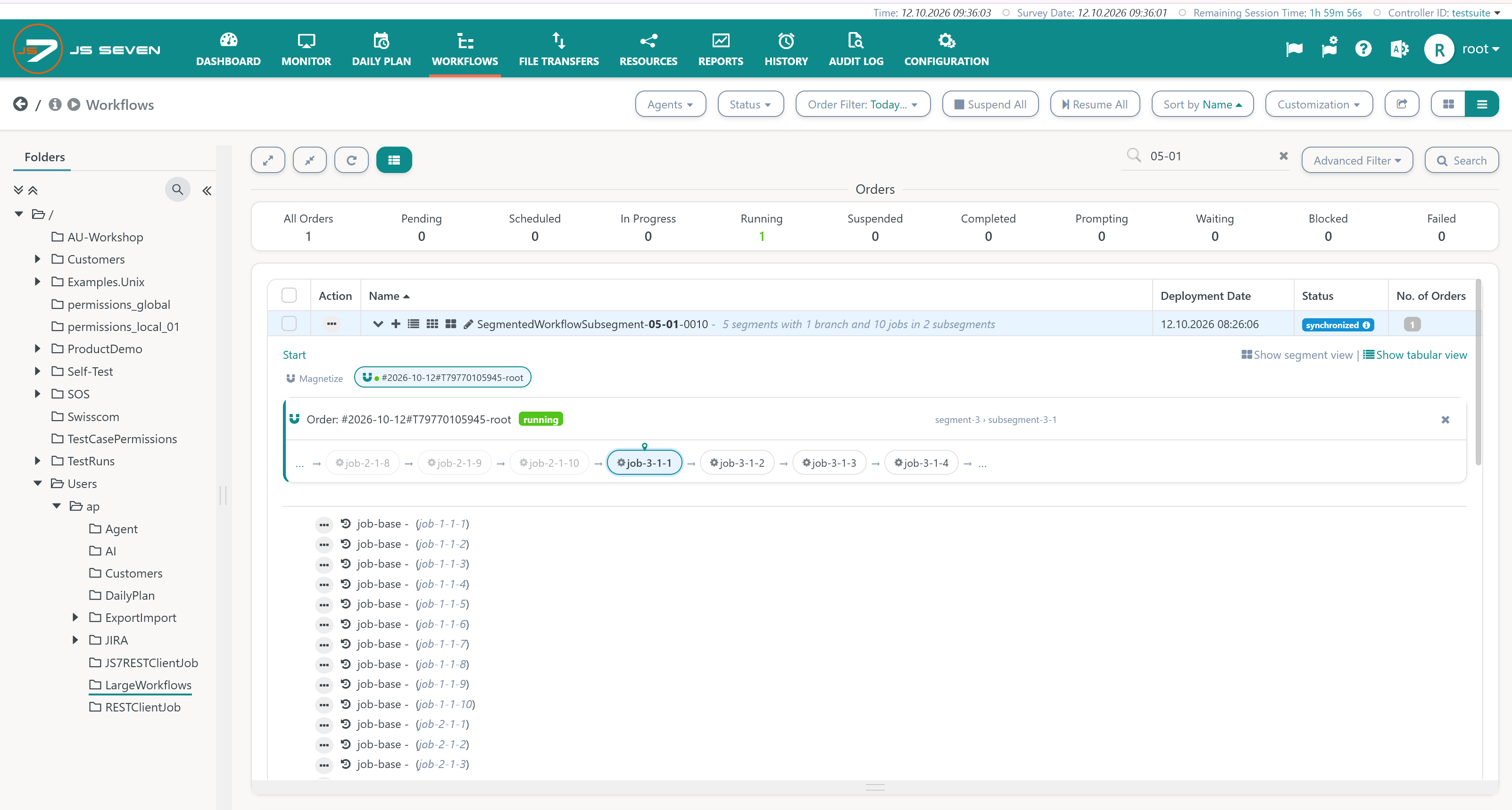
Magnetizing an order will display a horizonal swimlane that includes the workflow instruction currently passed by the order as well as its three predecessor and successor instructions:
- Users can monitor the order moving from one instruction to the next.
- At any point in time seven instructions are displayed with the swimlane to limit resource consumption for rendering.
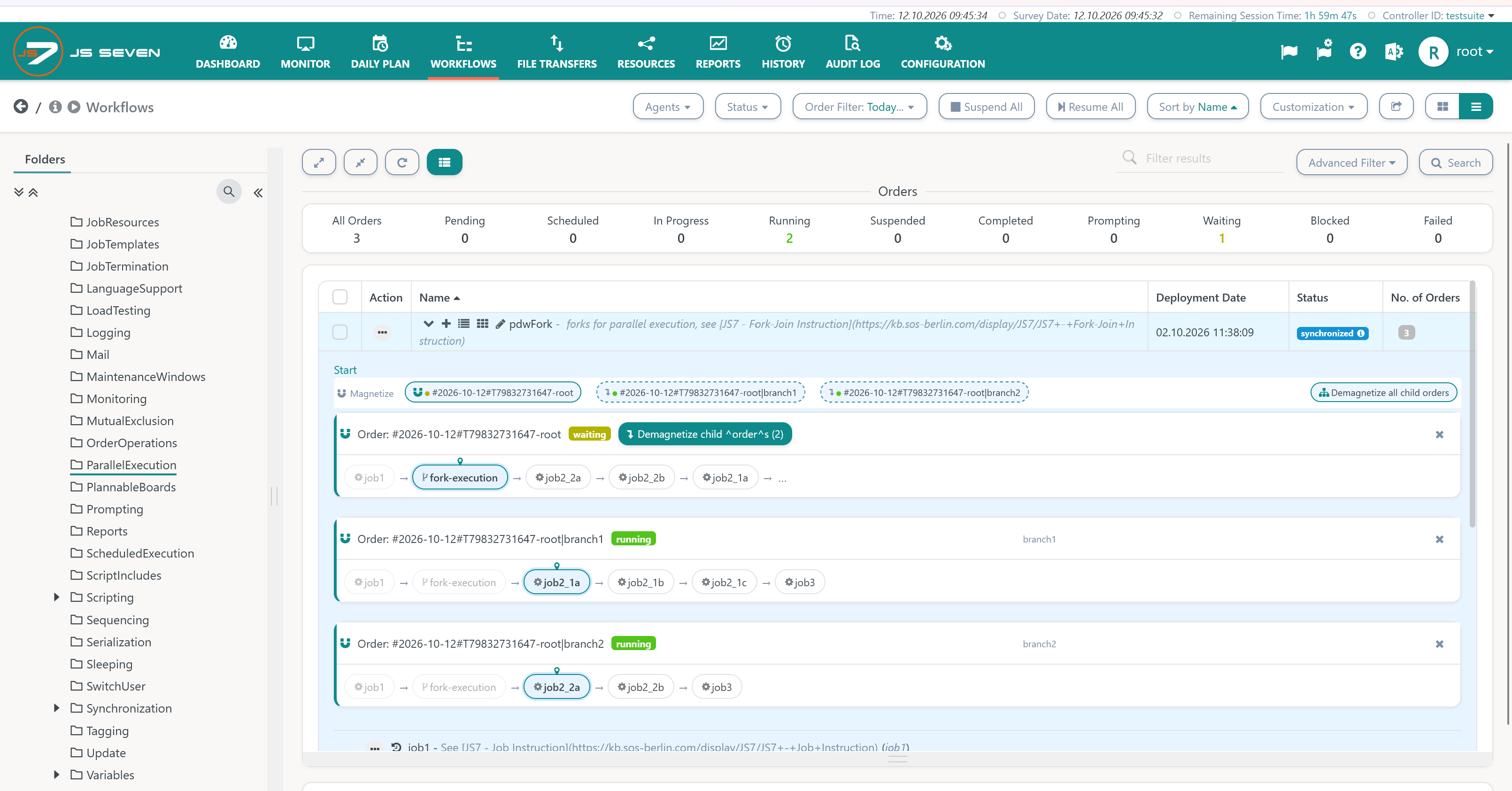
Users have the option to magnetize child orders in addition to the parent order, for example, when using the JS7 - Fork-Join Instruction:
- The parent order is displayed first, typically in the waiting state while child orders are running.
- Child orders follow each with its own swimlane.
- For magnetized parent orders and child orders the option to demagnetize is offered which will collapse related swimlanes.
Profile Settings for Magnets
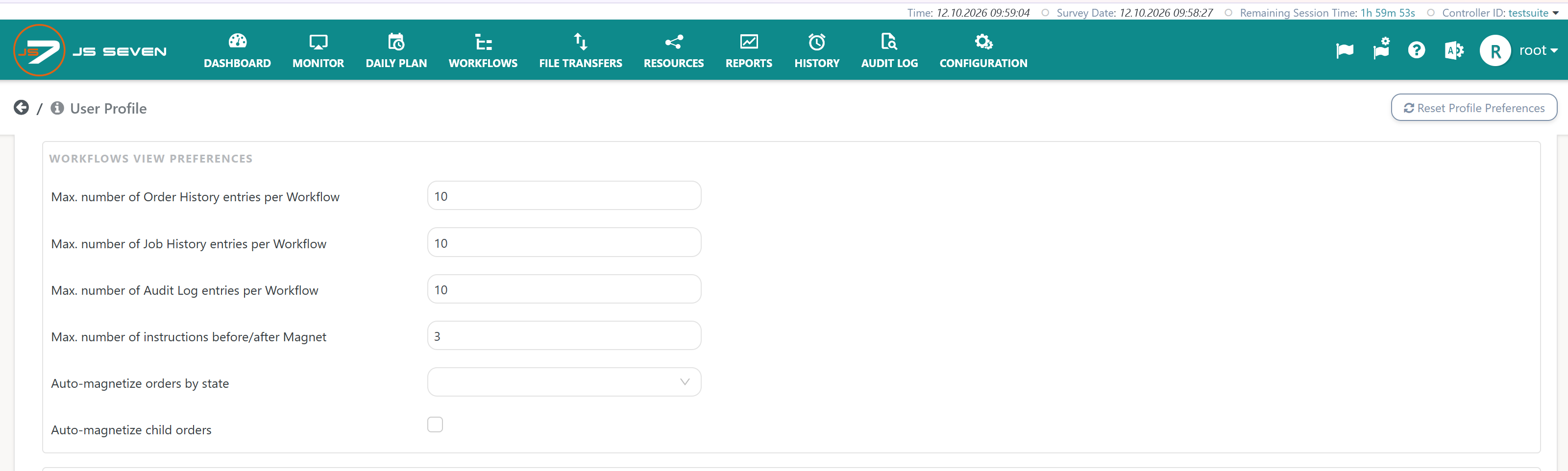
User control the behavior of Magnets from their JS7 - Profiles - Preferences:
- Auto-magnetize orders by state: a Magnet will be automatically applied to orders that enter one of the selected states.
- Auto-magnetize child orders: if a parent order is magnetized, then child orders will automatically be magnetized too.
Overview
Content Tools