Problem
Users may observe the following error message when initially running jobs:
UnknownKey: No such environment variable: COMPUTERNAME
This problem can occur if, for example, workflows have been used from JS7 - Download.
As a result, some jobs in the example workflows fail with the above error message.
Analysis
The error message indicates that an environment variable with the name COMPUTERNAME is used in a job. However this environment variable does not exist.
- The reason lies with the JS7 - Job Resources from the
Defaults.ziparchive which is available from JS7 - Download. After being imported this archive is extracted to a JOC Cockpit folder with the nameDefaultsand a job resource with the nameDefault. Details can be found in the JS7 - Job Environment Variables article. The
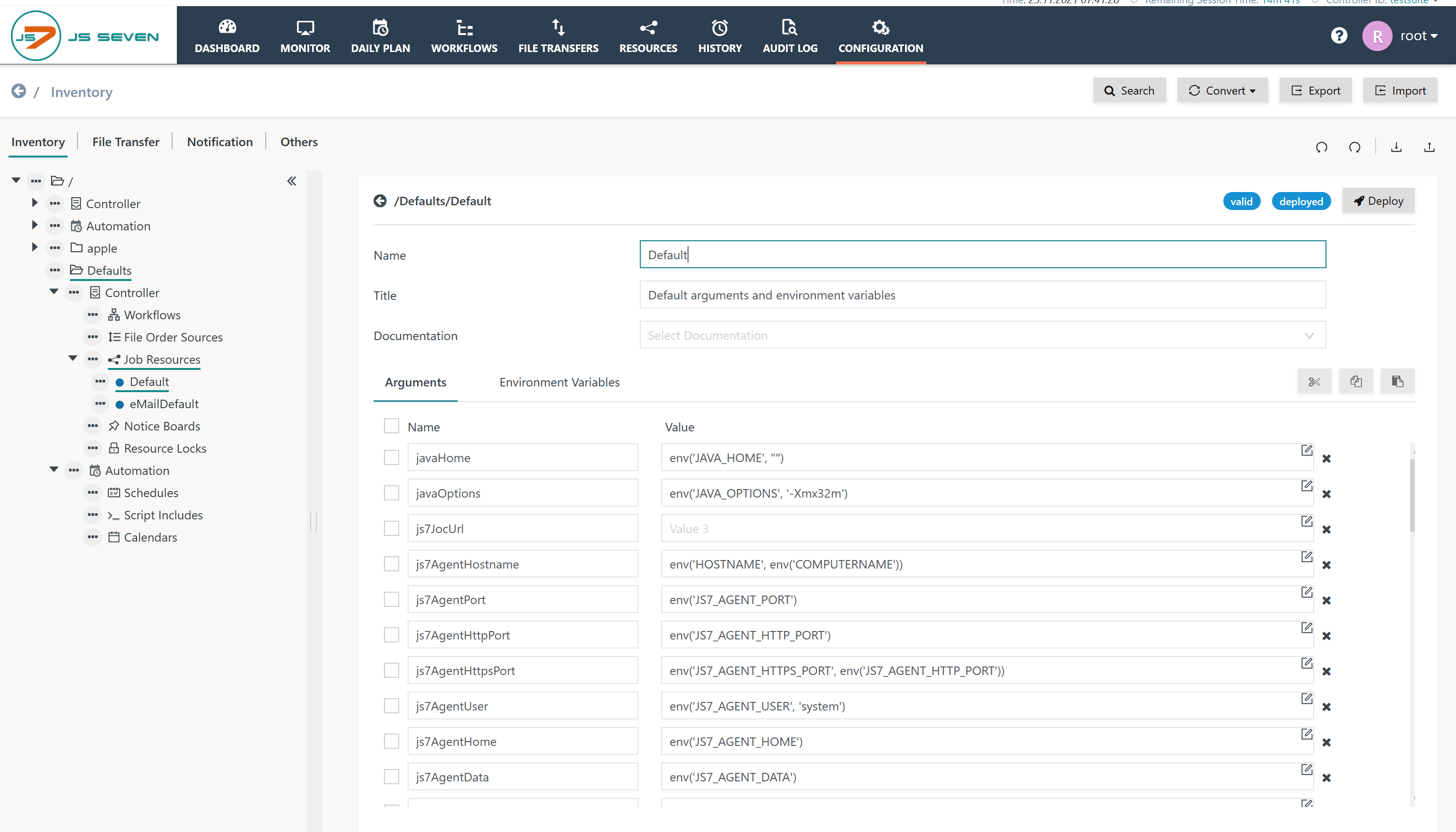
Defaultjob resource includes an argument with the namejs7AgentHostnameand an environment variable with the nameJS7_AGENT_HOSTNAME. By default the argument is assigned the following value:js7AgentHostname = env('HOSTNAME', env('COMPUTERNAME'))- This expression first makes use of a
HOSTNAMEenvironment variable (available for most Unix systems) and if this does not exist uses theCOMPUTERNAMEenvironment variable (available for Windows systems). Therefore running a job that makes use of theDefaultjob resource on a Unix OS that does not provide theHOSTNAMEenvironment variable causes the error. The
HOSTNAMEenvironment variable which is assumed from the Job Resource in fact is abashvariable and may not be available if another shell such askshortshis used or if the Agent's account has not been assigned thebashshell in/etc/passwd.
The assignment of the js7AgentHostname argument is performed in the Configuration view for Job Resources like this:
Solution
Modify the value of the js7AgentHostname argument as follows:
js7AgentHostname = env('HOSTNAME', env('COMPUTERNAME', ""))
Explanation:
- The
env()function makes use of two arguments: the first argument specifies an environment variable, the second argument specifies a default value if the environment variable does not exist. - Adding an empty default value - specified by two double quotes - as provided in the example above resolves the problem.
- To apply changes deploy the job resource after modification.
- As an alternative to this solution users can assign the
/bin/bashshell to the user account used by the Agent.
Overview
Content Tools